Warm welcomes
Welcome new members in the channel you choose, using your words and your tone.
Discord bot for paid courses & cohorts
ServerDesk welcomes new members, answers repeat questions with /faq, and sends the real ones to your staff with /ask. Free for 7 days, then $19/mo per server.
7-day free trialThen $19/mo per serverCancel anytime
The useful middle ground
Built for communities that already have members to support — not for chasing more of them.
Welcome new members in the channel you choose, using your words and your tone.
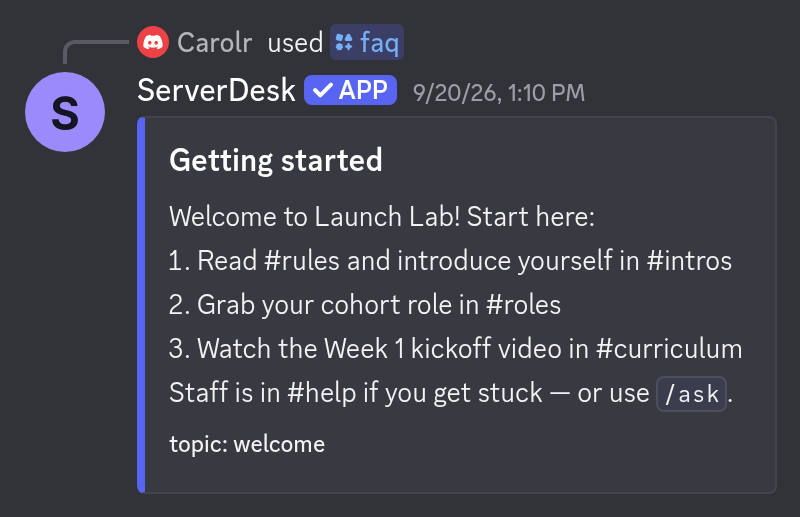
/faq answers your members from your FAQ. Send us your questions and answers and we load them for you, usually the same day.
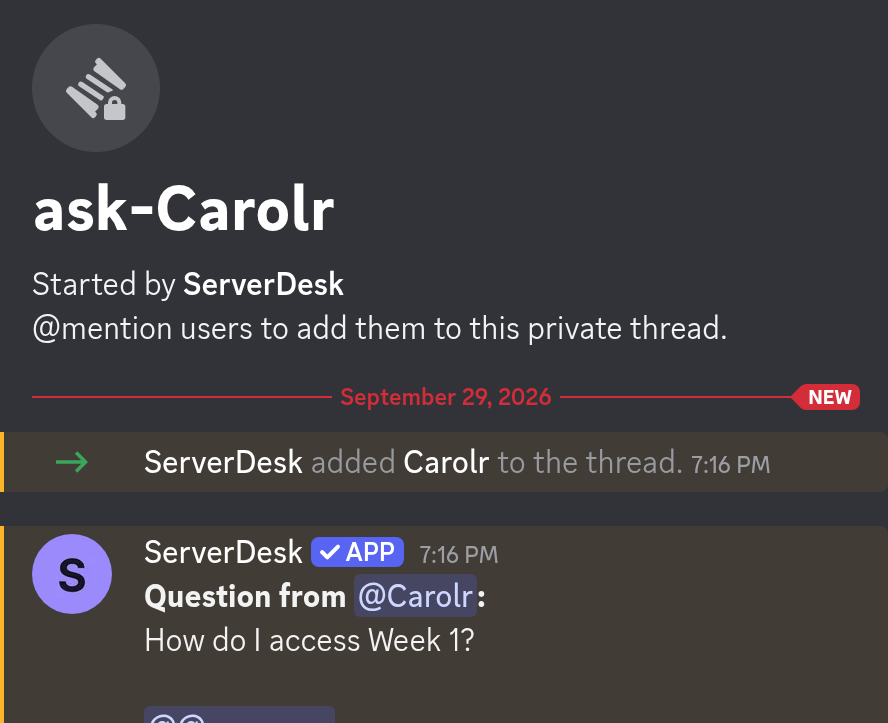
/ask routes real questions to a private thread or staff channel — no mass DMs.
/setup connects your welcome channel, staff channel, and staff role in under a minute. (Your FAQ is loaded separately by us.)
From invite to live
Use the invite link to add ServerDesk to your server instantly. No payment up front.
Pick your welcome channel, staff channel, staff role and welcome text.
Email your questions and answers plus your server ID to serverdesk.godinrules@gmail.com and we load them, usually the same day.
Your free trial ends after 7 days. Pay from /help inside your server so payment links to it automatically. Cancel anytime.
One clear plan
Hosted and kept running for you — welcome messages, /faq, /ask → staff, and email support. No servers or developer portal needed.
7-day free trial, then $19/mo per server
To pay, run /help inside your server so the payment links to it automatically. Prefer a plain Stripe checkout? That works too: just email your server ID to serverdesk.godinrules@gmail.com. Billed as Godin Deploys.
Refunds: Full refund within 7 days of your first payment if you email serverdesk.godinrules@gmail.com.
Cancel: Cancel anytime via Stripe or by emailing serverdesk.godinrules@gmail.com.
Built and supported by Carol, Godin Deploys. Questions go straight to me on Discord.
Support: Discord · serverdesk.godinrules@gmail.com
Ready when you are
Use the invite link. Free for 7 days.
We load it for you, usually the same day.
Pick your welcome channel, staff channel, and staff role. Then pay $19/mo from /help to keep it after day 7.
A quieter way to run Discord
7-day free trialThen $19/mo per serverCancel anytime